Weekly Client Review Automation
A repeatable operating workflow that transforms daily client updates into structured, consistent, executive-ready weekly review documents.
Reduce repetitive reporting without losing the human context.
Managing a portfolio of clients creates a recurring reporting challenge: information is collected throughout the week, but the same details often have to be re-entered, reorganized, and reformatted when the weekly review is prepared. The goal of this automation is to maintain one structured source of truth and use that data to generate the weekly client review consistently.
One Data Source
Daily client updates are maintained in structured rows and fields rather than scattered across separate weekly documents.
Repeatable Merge
A controlled merge maps the collected data into a standardized weekly-review template whenever the report is generated.
Consistent Output
The resulting document follows the same reporting structure while preserving the consultant's observations, decisions, and next actions.
Capture once. Reuse throughout the reporting cycle.
The design separates collection, storage, merge logic, and presentation so each part of the workflow can evolve independently.
Daily Capture
Update each client's row with meeting notes, risks, decisions, actions, opportunities, and other information gathered during the week.
Structured Storage
Maintain standardized field names and supporting CSV data in a dedicated data folder so working files do not clutter the application root.
Template Merge
Map the current client data to matching template fields and generate or refresh the weekly review document on demand.
Executive Review
Review the generated document, add any final narrative context, and use the finished report as the weekly client record.
See the workflow in action.
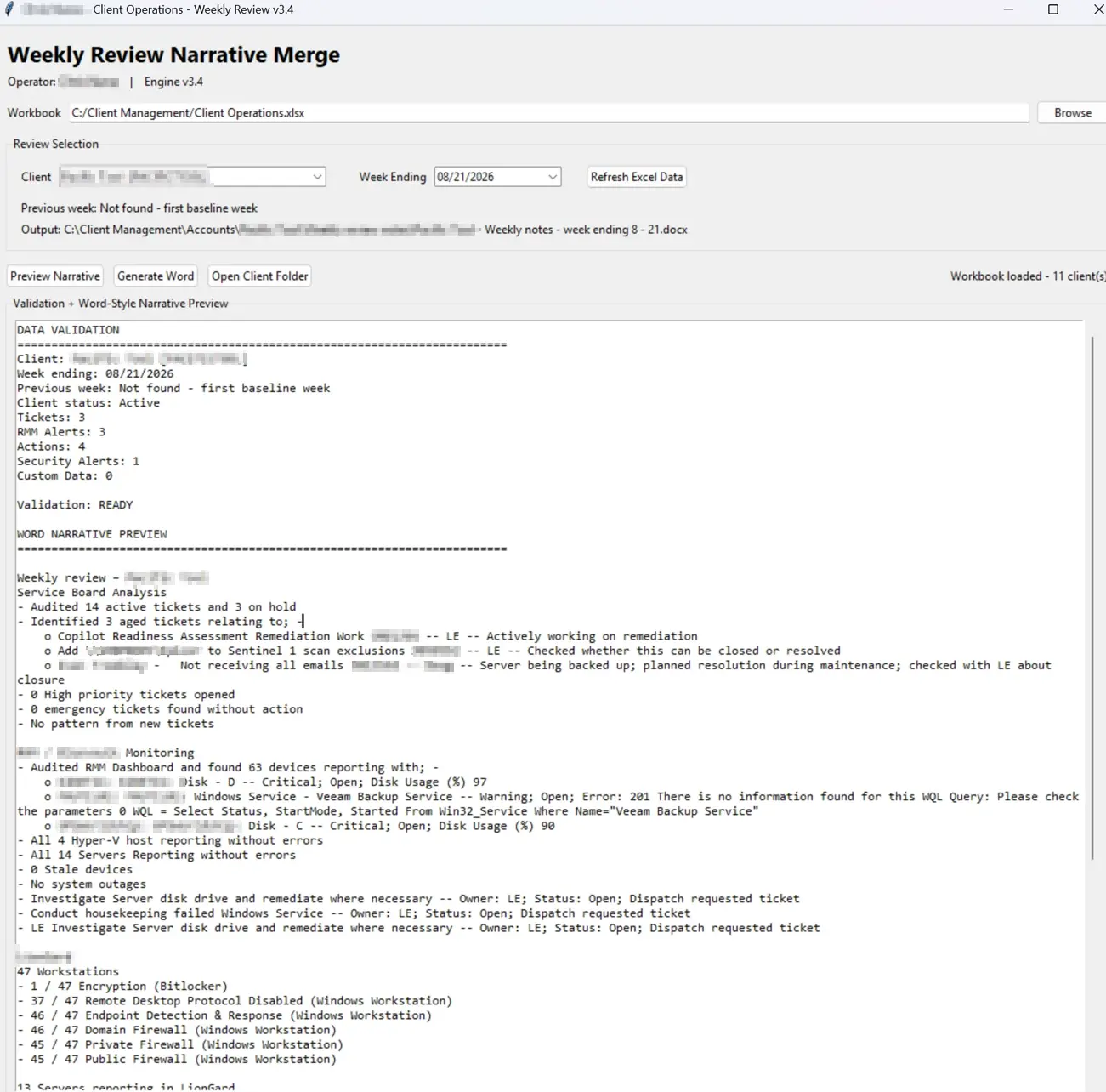
A lightweight view of how structured client data, operational activity, validation, and narrative generation work together in one repeatable reporting process.
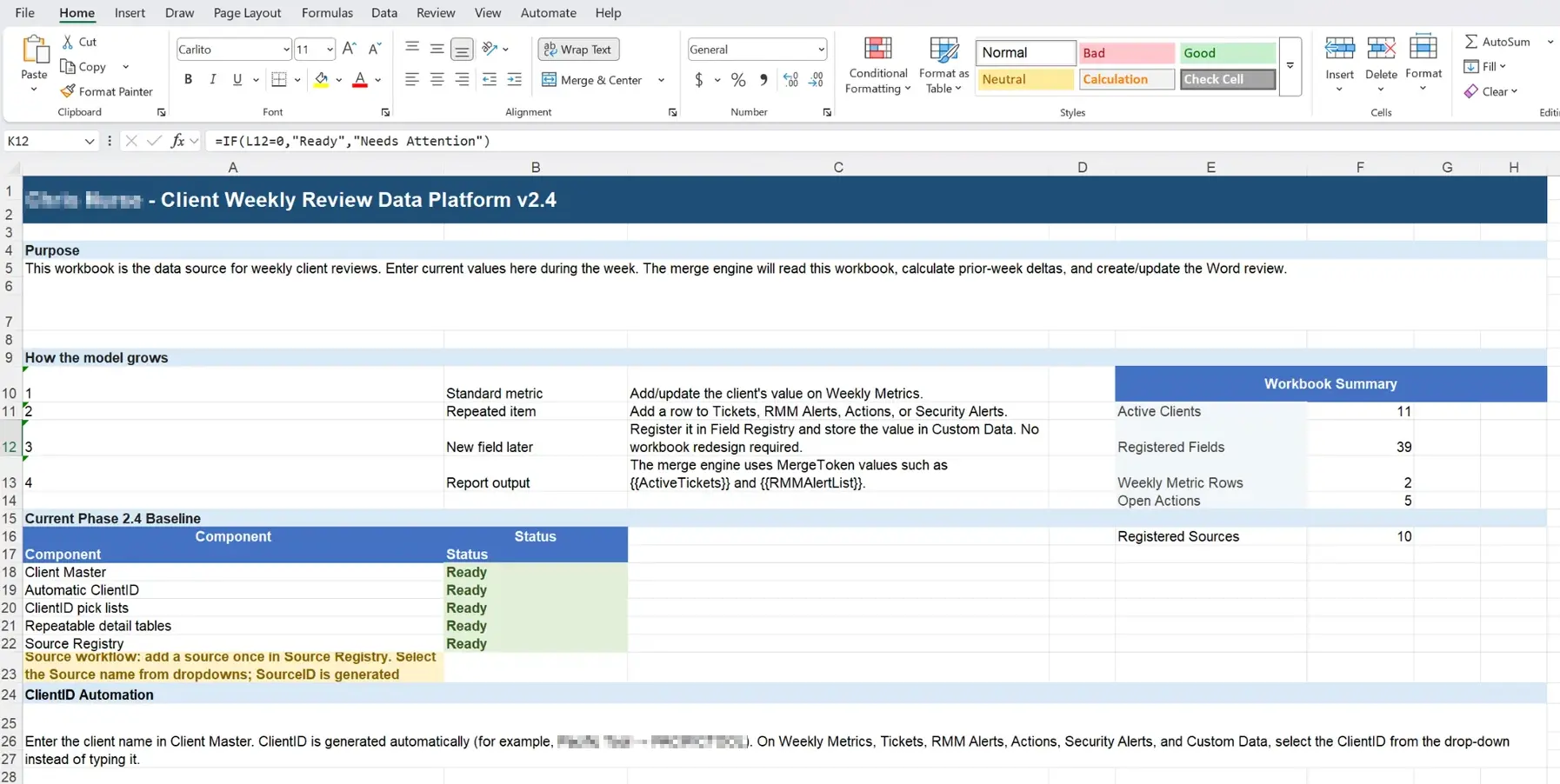
Build one flexible operating data model.
Client information, weekly metrics, tickets, alerts, actions, security findings, and custom fields are organized into a consistent structure. New fields and sources can be registered without redesigning the entire workbook.
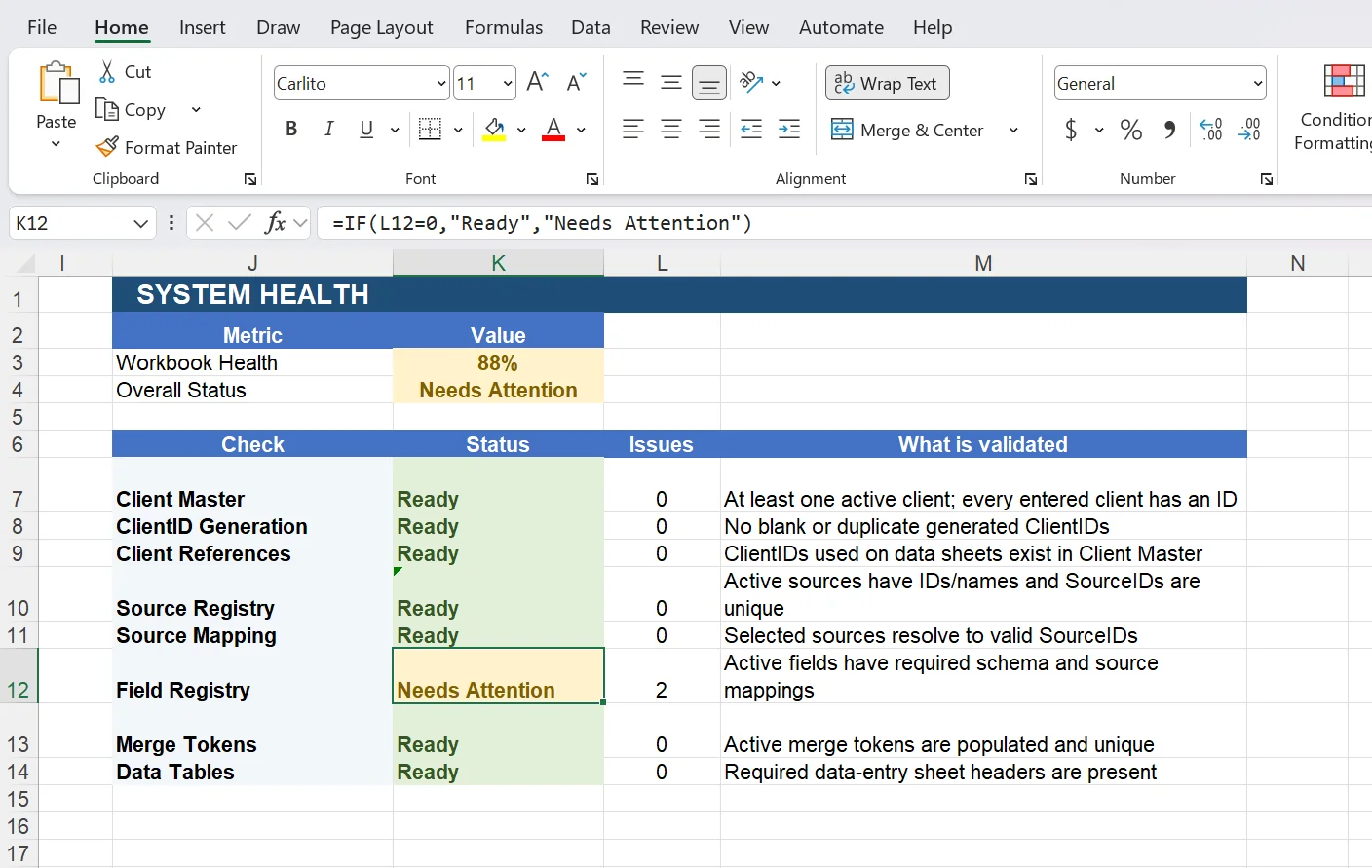
Check the data before it becomes the report.
Built-in validation checks client references, generated IDs, source mappings, field registration, merge tokens, and required data tables. Issues are surfaced before report generation so the workflow can be corrected at the source.
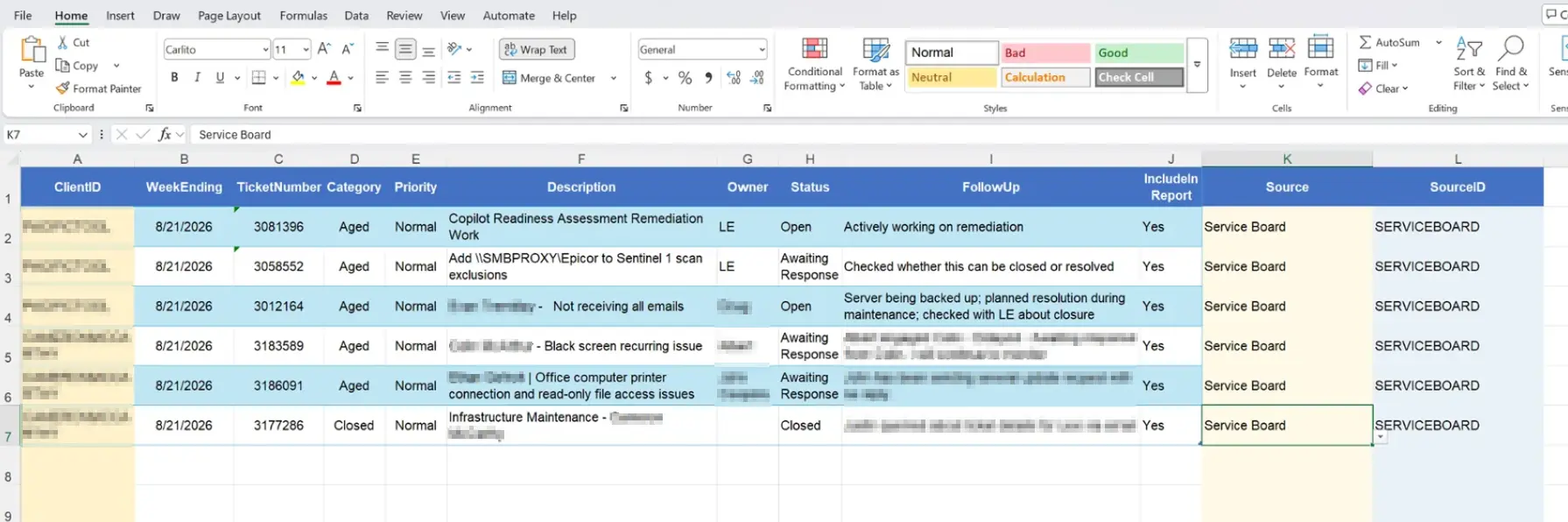
Normalize the information teams already manage.
Operational details can be captured from service management, monitoring, security, and other business systems using common fields for ownership, status, follow-up, source, and report inclusion.
Turn structured inputs into a client-ready review.
The merge engine validates the selected client and reporting period, builds the narrative from the available data, and generates the Word review while preserving space for professional judgment and final consultant context.
Adapt the workflow to the way your business actually operates.
The solution is not a one-size-fits-all template. We start with the existing business process, identify where information originates, and design the automation around the people, systems, controls, and reporting outcomes that matter.
Discover
Review the current workflow, stakeholders, reporting requirements, repetitive effort, and operational pain points.
Map
Identify data sources, required fields, ownership, dependencies, validation requirements, and the desired business output.
Design
Create the data model, reporting templates, automation logic, naming standards, and user workflow around the organization.
Integrate
Connect or import the appropriate business data, test the workflow, validate outputs, and refine exception handling.
Deploy
Document the process, prepare users, establish the operating cadence, and create a foundation for future analytics and automation.
Built for a consultant managing a book of business.
Standardized Data Model
Common collection fields create a predictable structure for client status, accomplishments, risks, decisions, next steps, opportunities, and follow-up items.
Template-Driven Reporting
The Word review becomes a presentation layer driven by the underlying client data rather than a document that must be recreated manually each week.
Dynamic Consultant Identity
The workflow can use the active user's name rather than relying on a hard-coded application label, making the process more portable and professional.
Clean Operational Structure
Generated CSV files and supporting data are isolated in their own folder, keeping the working application directory organized as the dataset grows.
Client-by-Client Continuity
Each client's evolving record can be updated throughout the week, preserving continuity instead of restarting the reporting process every reporting cycle.
Expandable Foundation
The same structured data can later support trend analysis, dashboards, historical reporting, portfolio summaries, and additional document-generation workflows.
Automation focused on consistency, visibility, and consultant efficiency.
Less Duplicate Entry
Information collected during normal client activity becomes reusable reporting data instead of being manually rewritten for the weekly review.
Better Reporting Discipline
Standard fields help ensure important client information is captured consistently across an entire portfolio.
More Time for Advisory Work
Reducing administrative assembly gives the consultant more time to analyze client needs, identify risk, and focus on strategic follow-through.
Could this approach work in your organization?
Every organization has repetitive processes that consume valuable time. Chris Nurse Advisory works with organizations to identify those workflows, structure the underlying data, and develop practical automation solutions tailored to how the business actually operates.